From CAD to Cut: How Software, Nesting and Machines Work Together
Modern manufacturing depends on more than accurate cutting machinery. To achieve consistent quality, lower waste and reliable production, every stage of the workflow needs to work together, from the first CAD file to the final cut.
At Assyst Bullmer, we help manufacturers connect computer aided design, computer aided manufacturing, nesting software and CNC machine technology into one efficient CAD to cutting workflow. This allows design data, material planning and machine execution to operate as a complete workflow, reducing errors and helping businesses move from digital model to finished product with greater speed and precision.
Whether you work in composites, fashion, upholstery, automotive, aerospace or technical textiles, the principle is the same. Better integration between CAD, CAM and CNC systems creates a more accurate, efficient and scalable manufacturing process.
Understanding the CAD to Cutting Workflow
A CAD to cutting workflow connects digital design with physical production. It begins with a CAD design created in CAD software, before moving into CAM software where tool paths, CNC files and G code are prepared for the CNC machine.
This process protects the original design intent by keeping data consistent from one stage to the next. The CAD model, geometry, dimensions and file formats all need to transfer cleanly into CAM systems so the CNC controller can execute the correct cutting path.
A complete workflow usually includes:
- Computer aided design for creating the digital model
- CAD file preparation and export
- CAM software for computer aided manufacturing
- Nesting software for material optimisation
- Tool paths and G code generation
- CNC machine execution
When these stages are properly connected, manufacturers can reduce manual handling, minimise costly mistakes and improve the accuracy of production.
The Role of CAD in Manufacturing
CAD is where the manufacturing workflow begins. Designers and engineers use CAD software such as Autodesk Fusion, SolidWorks and other solutions to create accurate technical drawings, 2D patterns or 3D models.
A strong CAD file defines the foundation for every later stage of production. It should include accurate geometry, material requirements, key dimensions and functional features that support fabrication, assembly and final use.
Before exporting a CAD file, manufacturers need to define practical requirements such as material type, thickness, tolerances and production constraints. Sharp internal corners, unnecessary complex features and avoidable design complications can increase machining time, cutting time and cost.
File formats are also important. A DXF file is commonly used for 2D cutting, while STEP and IGES are often used for 3D machining processes. Choosing the right file formats helps CAM systems interpret the design correctly and prepare it for CNC production.
The Role of CAM Software
CAM software turns the CAD model into machine-ready instructions. This is where computer aided manufacturing takes the design and defines how it will be produced.
Using CAM systems, engineers can generate tool paths, select cutting tools, set speeds, define feed rates and prepare machining strategies for different materials. These decisions influence precision, surface finish, production speed and overall quality.
At this stage, CAM software helps create:
- Accurate tool paths
- Machine-ready CNC files
- G code for the CNC controller
- Cutting strategies for specific materials
- Simulation checks before production
A post processor then translates the CAM output into the controller-specific language required by the CNC machine. This step is critical because even a well-prepared CAD file can lead to errors if the CAM setup, tool paths or post processor are not correctly configured.
Nesting and Material Optimisation
Nesting is one of the most important stages in a cutting workflow because it directly affects material usage, cost and efficiency.
Our nesting software helps arrange parts, patterns or panels across the available raw material so manufacturers can make better use of each sheet, roll or layer. This is especially valuable in industries working with fabric, composites, upholstery, carbon fibre, technical textiles and other high-value materials.
Effective nesting supports:
- Reducing waste
- Improving material utilisation
- Faster preparation for production
- Better consistency across repeat jobs
- Support for both prototypes and mass production
Smart nesting features allow multiple files to be arranged efficiently before the cutting process begins. By reducing gaps, offcuts and unnecessary handling, manufacturers can improve both cost control and sustainability.
CNC Machine Execution
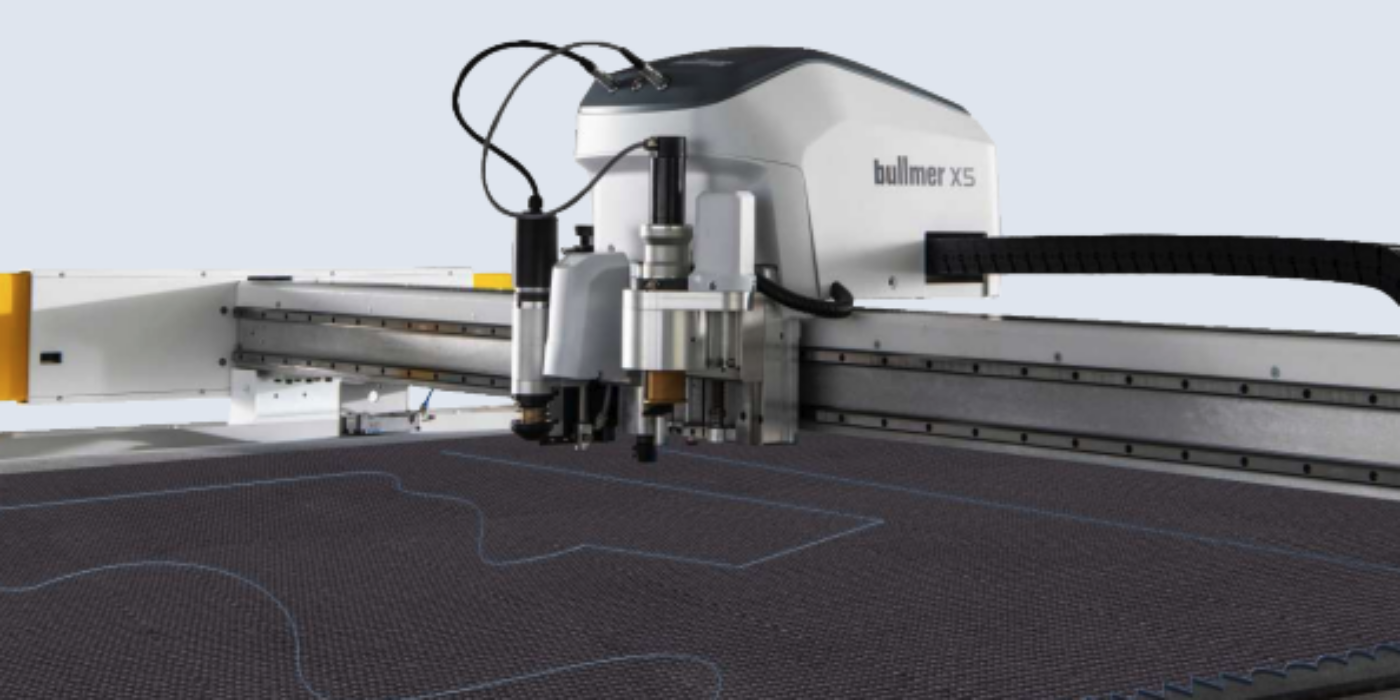
Once the CNC files and G code are ready, the CNC machine carries out the cutting process. The CNC controller reads the instructions created by CAM software and controls how the machine moves, cuts and processes the material.
A CNC machine can use different tools depending on the application, including blade, router and laser technology. The right machine setup depends on the material, geometry, production volume and required finish.
During production, the CNC machine follows programmed tool paths to deliver accurate, repeatable cuts. In a modern CNC shop, this automated process helps reduce manual intervention, improve consistency and support higher output.
This is where the digital workflow becomes a physical product. The accuracy of the final result depends on every stage before it, from CAD design and CAM software through to nesting, post processor setup and machine execution.
How CAD, CAM and CNC Work Together
CAD, CAM and CNC should not be treated as separate tools. They work best when they operate as a connected CAD CAM environment.
CAD defines what needs to be produced. CAM software defines how it will be produced. The CNC machine then executes the instructions with precision.
This integration helps manufacturers:
- Maintain design intent from file to finished product
- Reduce errors caused by manual transfer
- Respond quickly to design changes
- Improve production speed
- Support repeatable quality
- Reduce material waste
For example, a designer may create a CAD model in Autodesk Fusion or SolidWorks, export a DXF file, import it into CAM software, optimise the layout through nesting, generate tool paths and G code, and then send the CNC files to the CNC machine for production.
When each stage works together, the complete workflow becomes faster, more accurate and easier to control.
Why Integration Matters in Modern Manufacturing
Manufacturing processes are becoming more data-led, and disconnected systems can create avoidable problems. Manual file transfers, duplicated work and poor communication between software and machine systems can result in delays, errors and material waste.
Integrated CAD CAM systems help avoid these issues by keeping data consistent across the full workflow. This supports better collaboration between designers, engineers and production teams, while helping CNC shop operators work with accurate, machine-ready files.
For manufacturers working with complex parts, intricate designs or tight tolerances, this level of integration is essential. It helps protect quality while improving efficiency across the production process.
Key Performance Benefits
Precision and Accuracy
Accurate CAD files, reliable CAM software and a well-configured CNC machine all contribute to precision. When data flows correctly between systems, manufacturers can achieve tighter tolerances and more consistent results.
Efficiency and Speed
A connected workflow reduces delays between design, nesting and machine execution. Faster DXF import, efficient tool paths and automated nesting all help reduce cutting time and improve production output.
Reduced Waste
Material optimisation is a major advantage of integrated CAD CAM and nesting software. By arranging parts efficiently and reducing errors before cutting begins, manufacturers can lower waste and improve profitability.
Flexibility
Design changes are easier to manage when CAD, CAM and CNC systems are connected. Parametric modelling, updated CAD files and integrated CAM systems allow teams to respond quickly without rebuilding the entire workflow.
Quality Control
CAM systems can include simulation and verification tools to detect tool collisions, path errors or other issues before production begins. This helps reduce scrap, downtime and rework.
CAD CAM Workflows Across Industries
Integrated CAD CAM workflows are used across industries where accuracy, repeatability and material control matter.
In composites, CAD software and nesting help manufacturers move from 3D design to flattened 2D cutting patterns with greater control.
In upholstery, CAD design and nesting software help reduce waste and improve consistency across fabric and panel cutting.
In fashion and apparel, CAD files, grading, marker making and nesting support sampling, prototypes and production runs.
In automotive and aerospace, integrated CAD CAM systems support precision, repeatability and efficient handling of complex geometry.
In each example, the same principle applies. Connected software and machine systems help manufacturers produce more efficiently, with fewer errors and stronger control over quality.
Cost and Production Impact
A well-integrated CAD CAM workflow can have a direct impact on production cost. Accurate design preparation reduces rework. Efficient nesting reduces raw material use. Reliable CAM software improves tool paths and reduces cutting time.
Over time, these improvements help manufacturers reduce labour pressure, minimise waste and improve delivery times. They also make production more scalable, whether the business is running a single CNC machine or managing multiple cutting systems.
For many manufacturers, the value is not only in the machine itself. It is in the way software, files, tools and production data work together.
Choosing the Right CAD to Cutting Setup
The right setup depends on the materials you cut, the complexity of your designs, your production volume and the systems already used in your business.
A manufacturer producing prototypes may need flexibility, fast design changes and easy CAD file handling. A high-volume production environment may need advanced nesting, automated material handling and reliable CNC machine performance. A business working with complex parts may need stronger CAM software, simulation and post processor control.
At Assyst Bullmer, we focus on helping customers build the right workflow for their production needs, not just selecting individual tools in isolation.
Why Choose Assyst Bullmer?
At Assyst Bullmer, we provide CAD software, nesting solutions and digital cutting machine technology designed to help manufacturers improve accuracy, efficiency and production control.
Our systems support the full journey from CAD design to CNC machine execution, helping businesses connect software, material planning and cutting machinery into one reliable workflow.
Manufacturers choose us for:
- CAD cutting software for design, nesting and production planning
- Digital cutting machines for a wide range of materials
- Nesting software to improve material utilisation and reduce waste
- Compatibility with different file formats and production environments
- Support for industries including composites, fashion, upholstery, aerospace and automotive
- UK-based support from our Wakefield team
- Experience across software, machinery, spares and servicing
By combining CAD CAM integration, nesting, automation and cutting technology, we help manufacturers reduce errors, improve production efficiency and achieve consistent cutting quality.